Tuesday, August 5, 2014
Monday, October 22, 2012
Moar img {max-width: 100%;}
See also.
Thanks again, Ethan Marcotte and Richard Rutter.
The images below are all of one that is 1060px x 600px, at full scale.
Here is Blogger's default centered, large layout:

(Used Blogger to host the image because Photobucket resizes anything wider than 1024 px.)
Here it is with style="max-width:100%; border:none; margin:0;"
Here it is with style="max-width:100%; border:none; margin:0; padding:0;", since Blogger (in this template, at least), specifies padding:4px for all images in posts.


img {max-width: 100%;}
Thanks, Ethan Marcotte and Richard Rutter.
The first two images below have style="max-width:100%; border:none; margin:none; padding:none;"
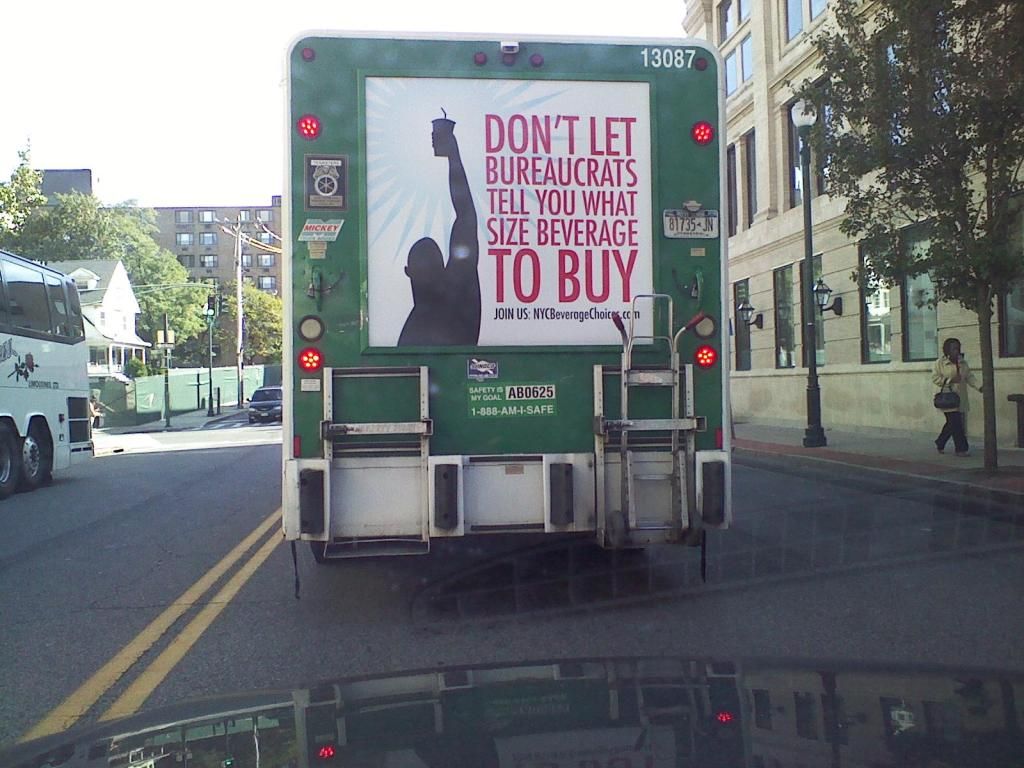
The following image has the same styling as above, except max-width is set to 50%.
Wednesday, October 3, 2012
Links to some specialized feeds from my real blog
Just posts tagged "science:"
http://bjkeefe.blogspot.com/feeds/posts/default/-/science
Just posts tagged "cool:"
http://bjkeefe.blogspot.com/feeds/posts/default/-/cool
Just posts tagged both "cool" and "science:"
http://bjkeefe.blogspot.com/feeds/posts/default/-/cool/science
Reference links and more details here.
Wednesday, August 22, 2012
Styling PRE, as oxymoronic as that sounds
Here is a long URL within the flow of regular text: http://www.google.com/cse?cx=007432832765683203066%3Azj_ist-lct4&ie=UTF-8&q=bjkeefe&sa=Search&siteurl=www.google.com%2Fcse%2Fhome%3Fcx%3D007432832765683203066%253Azj_ist-lct4&ref=&ss=847j149539j7#gsc.tab=0&gsc.q=bjkeefe&gsc.page=1
Here is the same URL, enclosed in <pre></pre>, on a line following the regular text:
http://www.google.com/cse?cx=007432832765683203066%3Azj_ist-lct4&ie=UTF-8&q=bjkeefe&sa=Search&siteurl=www.google.com%2Fcse%2Fhome%3Fcx%3D007432832765683203066%253Azj_ist-lct4&ref=&ss=847j149539j7#gsc.tab=0&gsc.q=bjkeefe&gsc.page=1
On this blog, the text that won't fit within the width constraint of the post area is chopped. (At least visually -- it's possible to select the whole thing, including the part that's not displayed, by triple-clicking the line.) On other blogs, the text may run over the sidebar, or the browser itself may add a horizontal bar, giving the incorrect cue that the whole page is really wide. All of these can be annoying.
Same as above, except <pre> has inline CSS styling that causes the horizontal scroll bar to appear (if necessary) only under the one particular ling:
http://www.google.com/cse?cx=007432832765683203066%3Azj_ist-lct4&ie=UTF-8&q=bjkeefe&sa=Search&siteurl=www.google.com%2Fcse%2Fhome%3Fcx%3D007432832765683203066%253Azj_ist-lct4&ref=&ss=847j149539j7#gsc.tab=0&gsc.q=bjkeefe&gsc.page=1
!!!
Notes ...
In re "if necessary," here is a short <pre> bit of text, same styling:
http://www.google.com/
That is, no horizontal scroll bar, because it wasn't needed, but same bit of CSS can be used. This would be handy if you had lots of lines of text that you didn't want to wrap, some of which would be too long, some not.
The styling:
<pre style="overflow:auto;">[...]</pre>
First seen in the CSS file associated with an Ars article:
.article-content pre {
 overflow: auto;
}
More here.
I first thought it was a form when reading the Ars article. When single-clicking the text above the scrollbar didn't select the whole line, as I expected (such as in the box containing the URL that appears when you click the Share button under a YouTube video), I triple-clicked it. When that somewhat surprisingly did what I wanted (selected the whole line of text), it made it seem worth doing a CTRL-u.
It may still be worth putting a longish chunk of text into a form if the intent is to make it easier for readers to copy it.
Also may be worth giving some thought to how overflow:auto; might be used with oversized images.
Friday, February 24, 2012
Wednesday, February 1, 2012
Thursday, December 8, 2011
CSS properties letter-spacing and word-spacing
The letters in this paragraph have style="letter-spacing:3px;"
The words in this paragraph have style="word-spacing:6px;"
The words in this paragraph have style="word-spacing:6em;"
The letters and words in this paragraph have no added styling.
See "All CSS Text Properties" here. More here, here, and here.
Monday, December 5, 2011
Caption test
Caption: Not a Red LeafThis is text that wraps around the leaf image that features a caption. You might want a caption under the picture of the leaf if you were writing about leaves in your post. The caption sits below the text and helps the user to understand what the picture is about. This is text that wraps around the leaf image that features a caption. You might want a caption under the picture of the leaf if you were writing about leaves in your post. The caption sits below the text and helps the user to understand what the picture is about. This is text that wraps around the leaf image that features a caption. You might want a caption under the picture of the leaf if you were writing about leaves in your post. The caption sits below the text and helps the user to understand what the picture is about.


Wednesday, November 30, 2011
background test
I just was outside, enjoying a cigarette.
At a quarter to two in the am.
On the 30th of November.
In NY, USA. In bare feet and shorts.
Enjoying, I say. Enjoying.
So, Sen. Inhofe ... WHERE IS MY TESTIMONIAL IGLOO?
(?)
Saturday, November 12, 2011
DS embed test
... a couple of days ago, but thank JoePA the FSM I didn't. Because Massimo Pigliucci has pointed out someone who said it far better than I could have.
Tuesday, November 1, 2011
Embed test of Newsy video
Source: newsy.com/videos/google-takes-street-view-inside/
Original dimensions of 640 x 360 were re-specified by me as 480 x 270 in the HTML code for this post.
Saturday, July 31, 2010
Monday, July 19, 2010

Sunday, July 18, 2010
Wednesday, December 30, 2009
Wednesday, November 18, 2009
Sunday, March 1, 2009

Friday, September 5, 2008
Embed Test: Flash (SWF) object hosted by ImageShack
What Bad Santa would ask:
Direct link: http://img222.imageshack.us/img222/637/offyourmedsvc8.swf